
We were sick of paying for ticketing software. So we built our own.
Fettledesk brings tickets, a help centre, service levels, approvals, boards and sprints, and asset management into one fast app for IT teams and small software teams. One Docker command installs it; your data never leaves your network. And best of all, it's free. No hidden costs, subscriptions, or setup fees.
Free under the GNU AGPL v3.0. A pre-release: read what's still to come before relying on it.
IT teams in schools and small organisations
Tickets from email and a help centre, SLAs, approvals, and the devices behind them.
Small software teams
Workflows, boards, a backlog, sprints and charts, without a per-seat bill.
People who keep their own data
Runs on your hardware or cloud, works offline, and sends nothing to anyone.
See it in action
A ticket, start to finish.
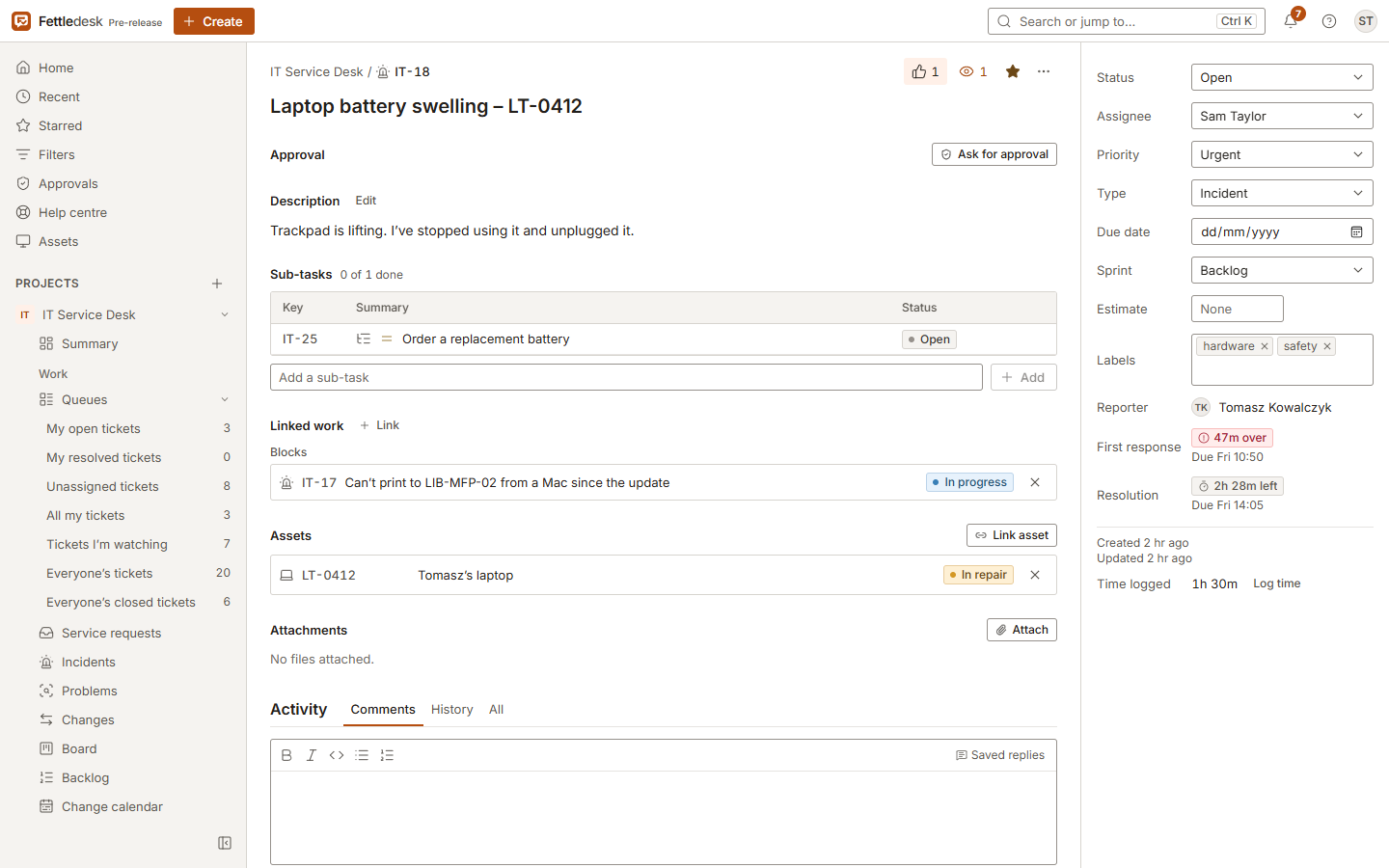
Log a fault, assign it, link the device it's about, reply to the person who reported it, and see it move on the board.
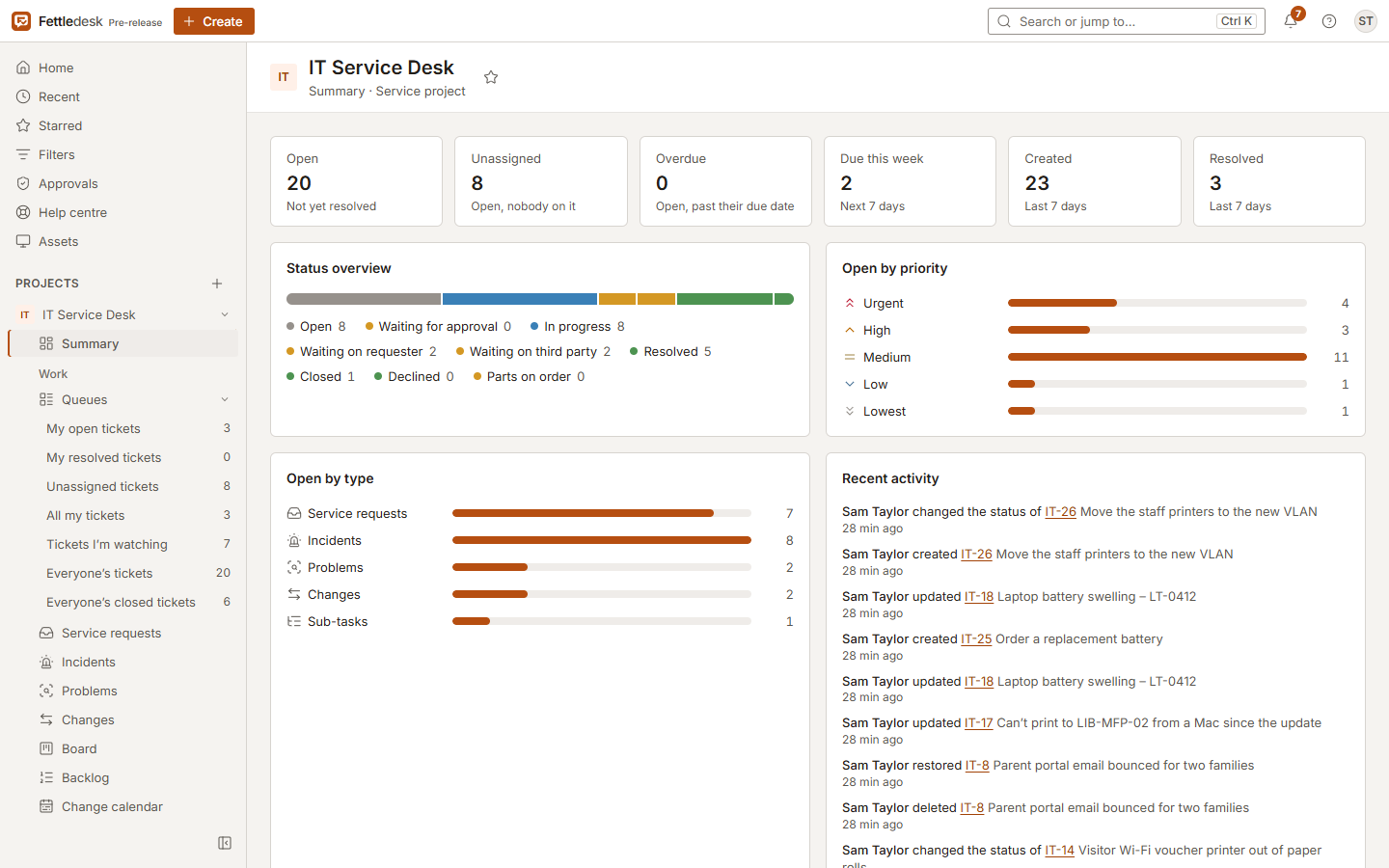
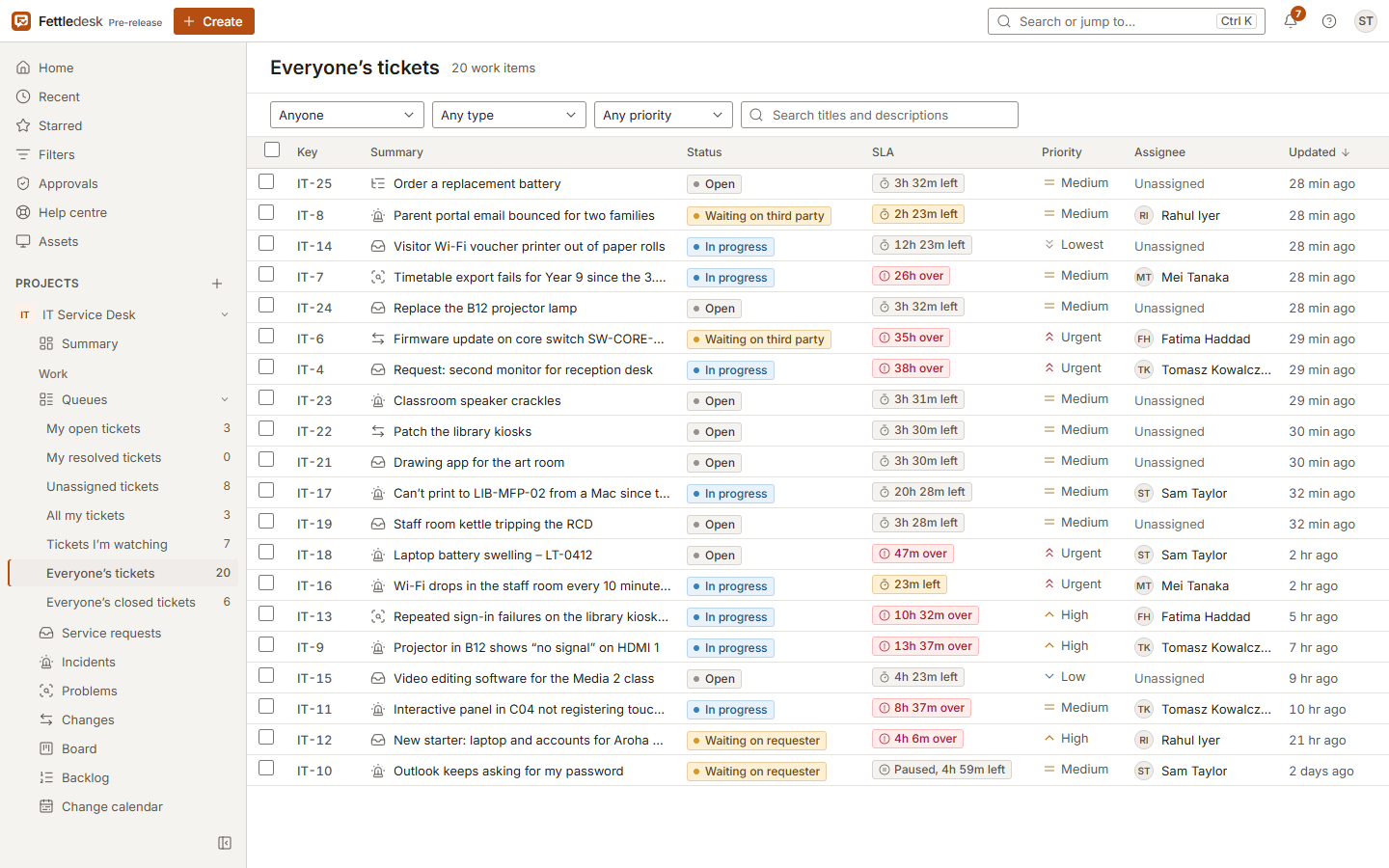
Service desk
Requests in, answers out, nothing lost in between.
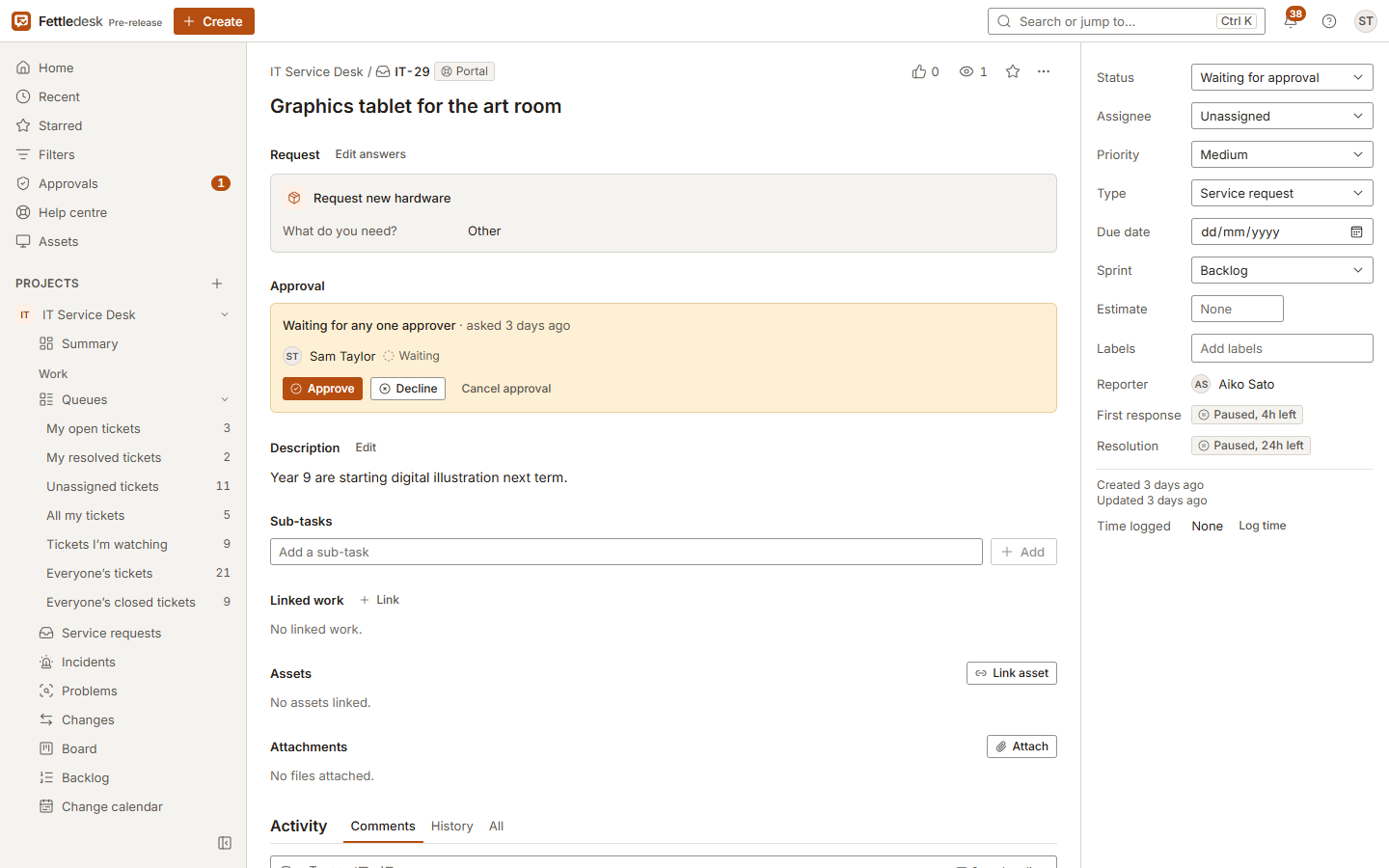
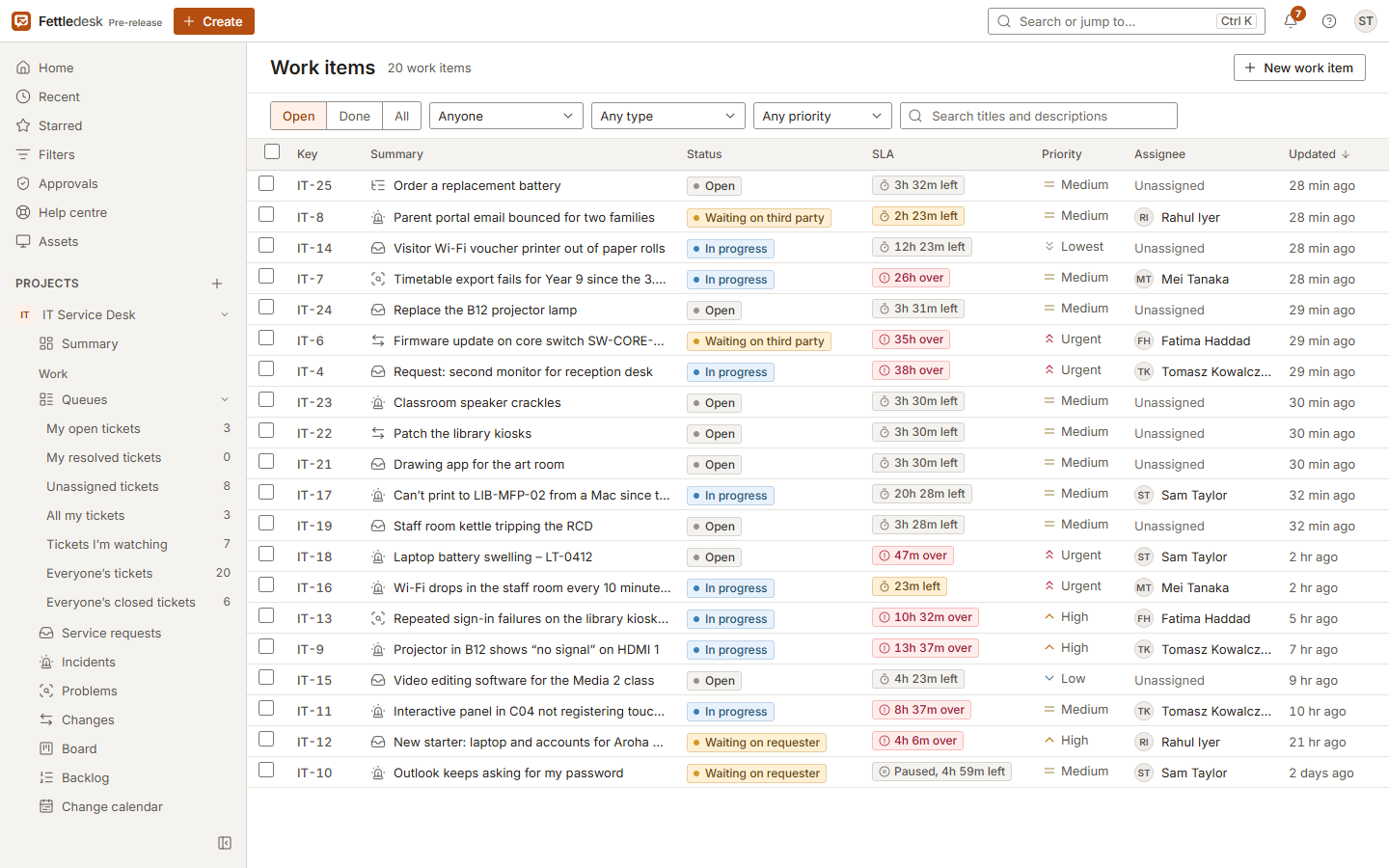
People ask for help from a help centre or by email. Your team works from queues with live counts, and every ticket shows its deadline.
Queues that keep up
Unassigned, mine, waiting on someone: each queue counts itself in the sidebar and updates as people work.
- Request types with their own forms for the help centre
- Email in from Microsoft 365, Google or any IMAP mailbox
- Service levels with business hours and warnings before a breach
- Bulk changes, saved replies, merge and split
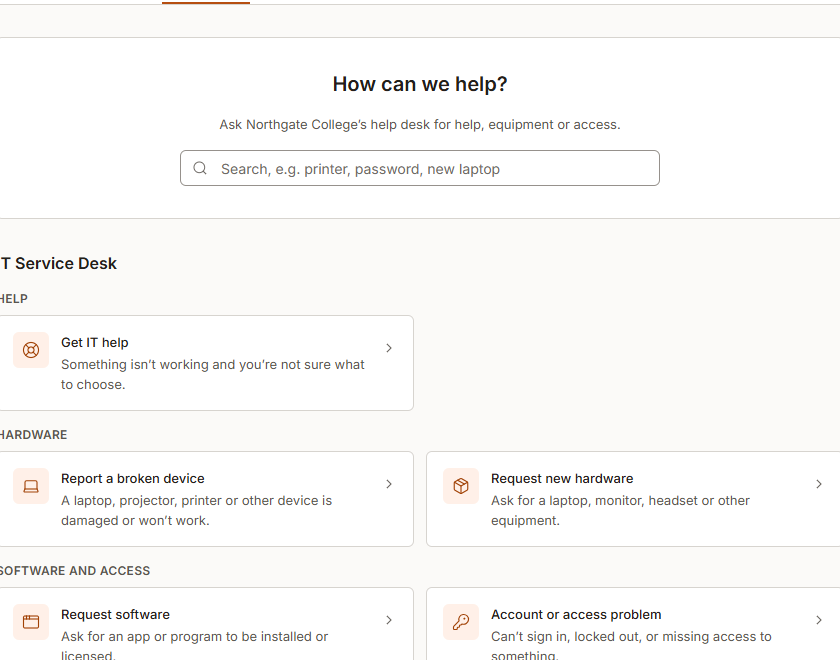
A help centre people actually use
The people you support raise requests from a short, plain form and follow them to the end, without learning your tools.
- Sign-up limited to your email domains, or by invitation
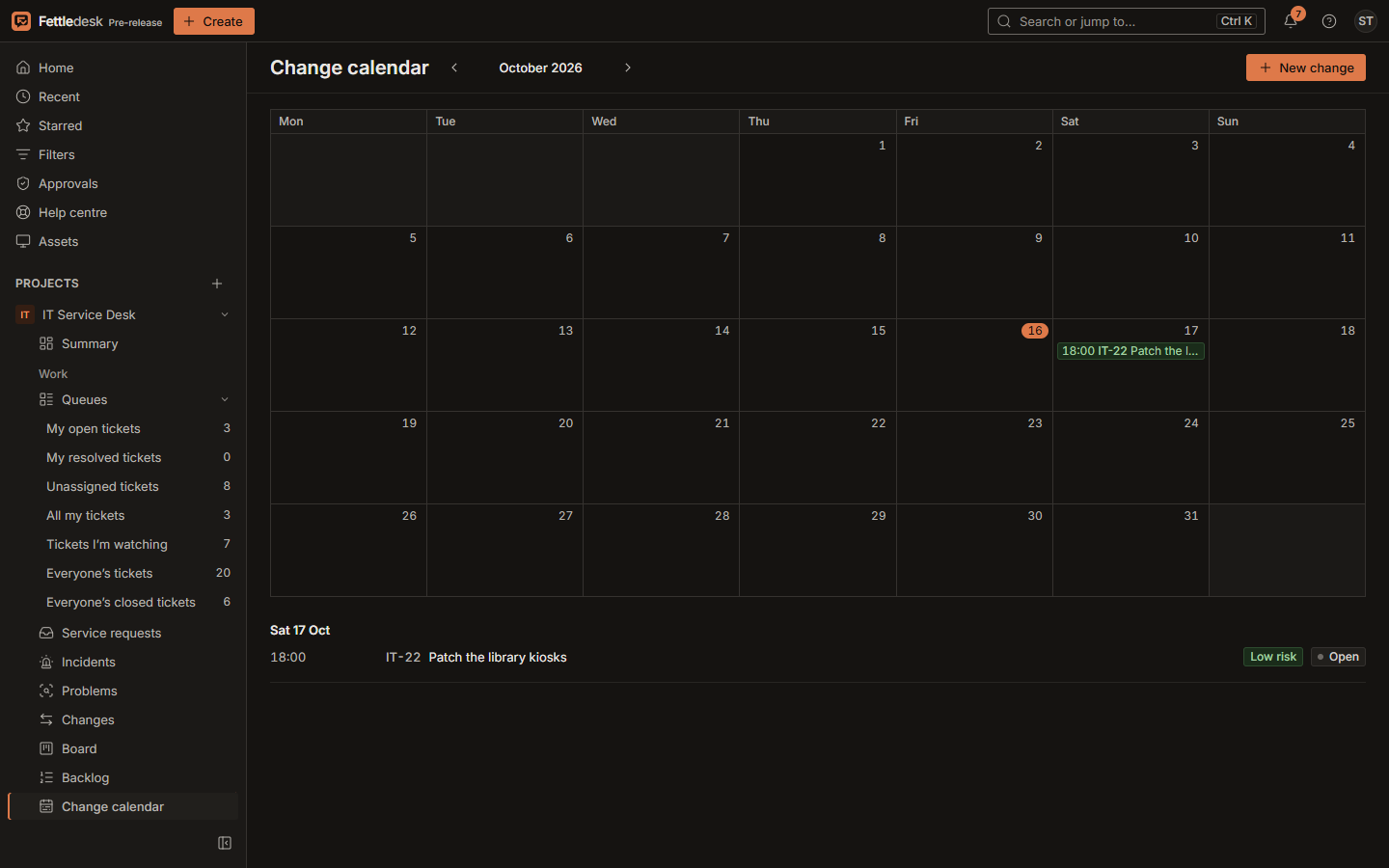
- Approvals for purchases and changes, with a change calendar
- A rating when the work is done
Planning
From backlog to done, in the same place as support.
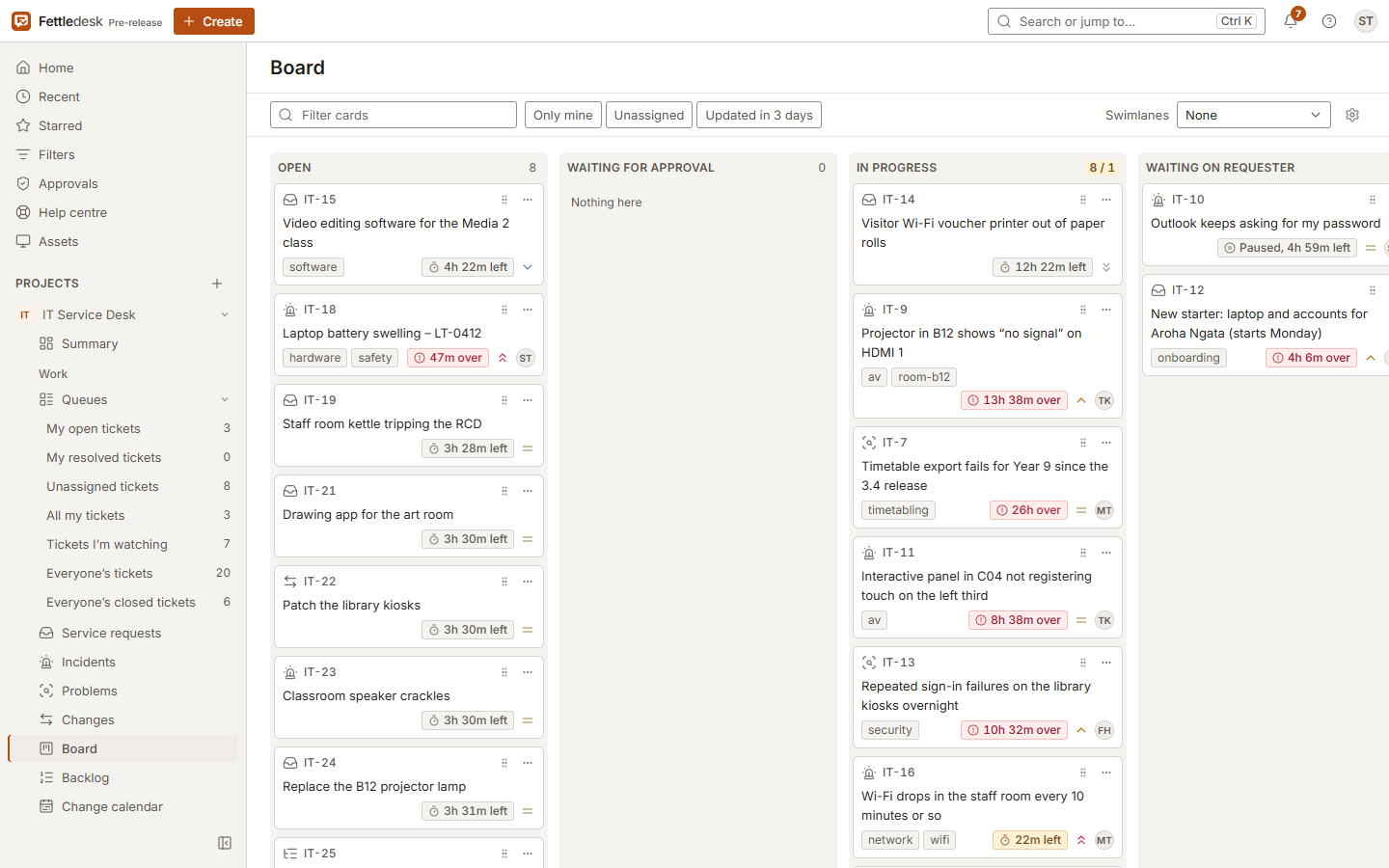
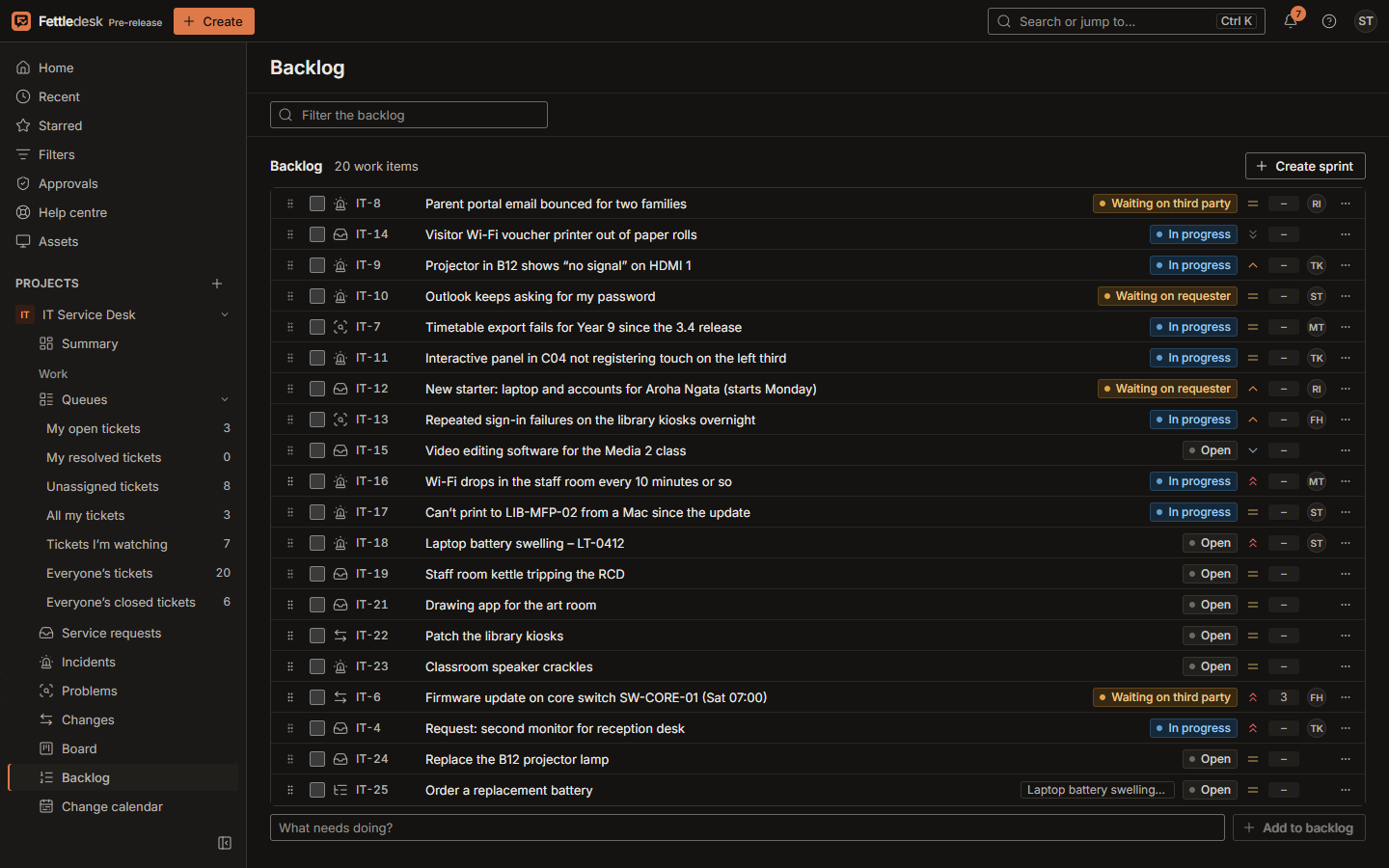
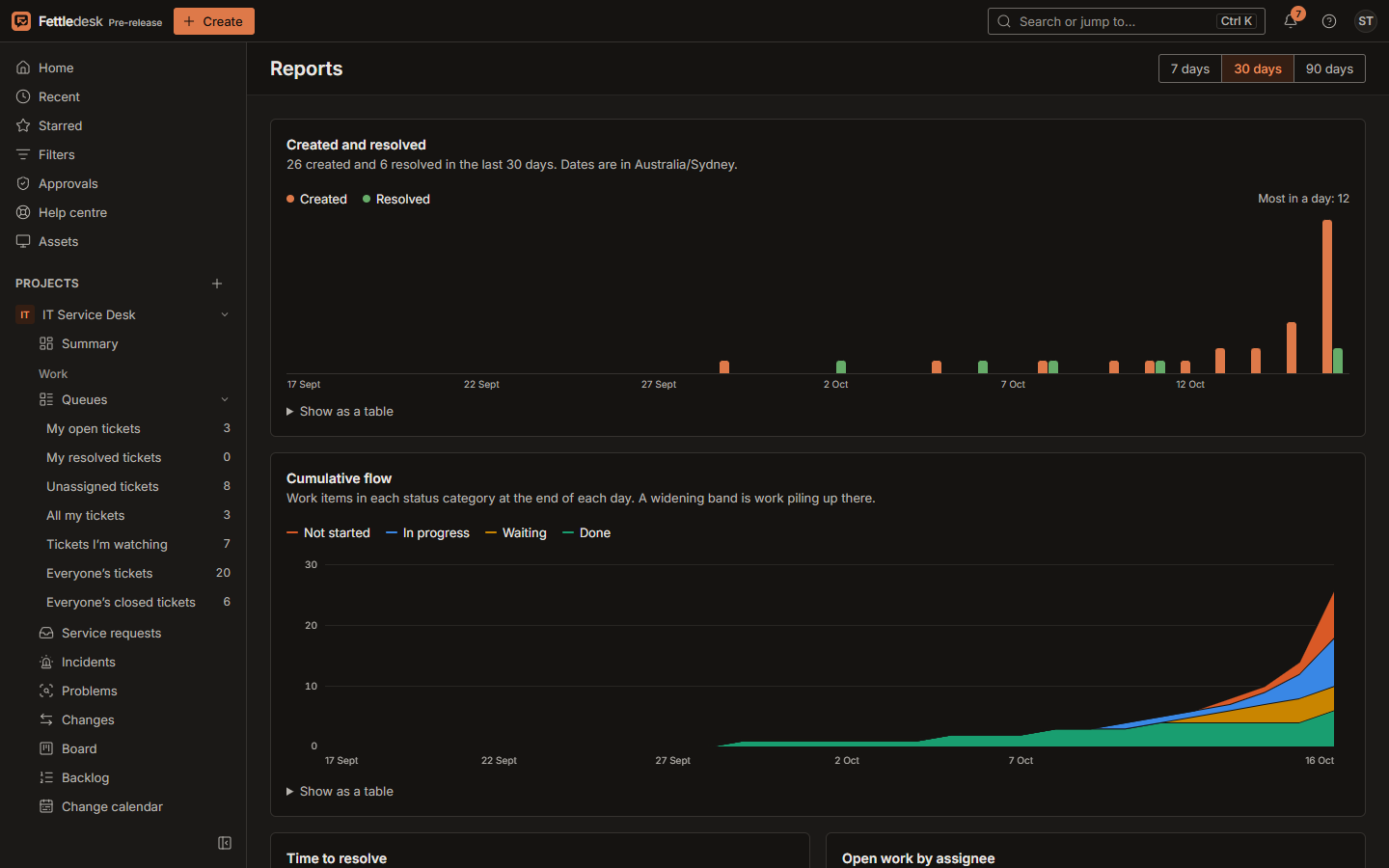
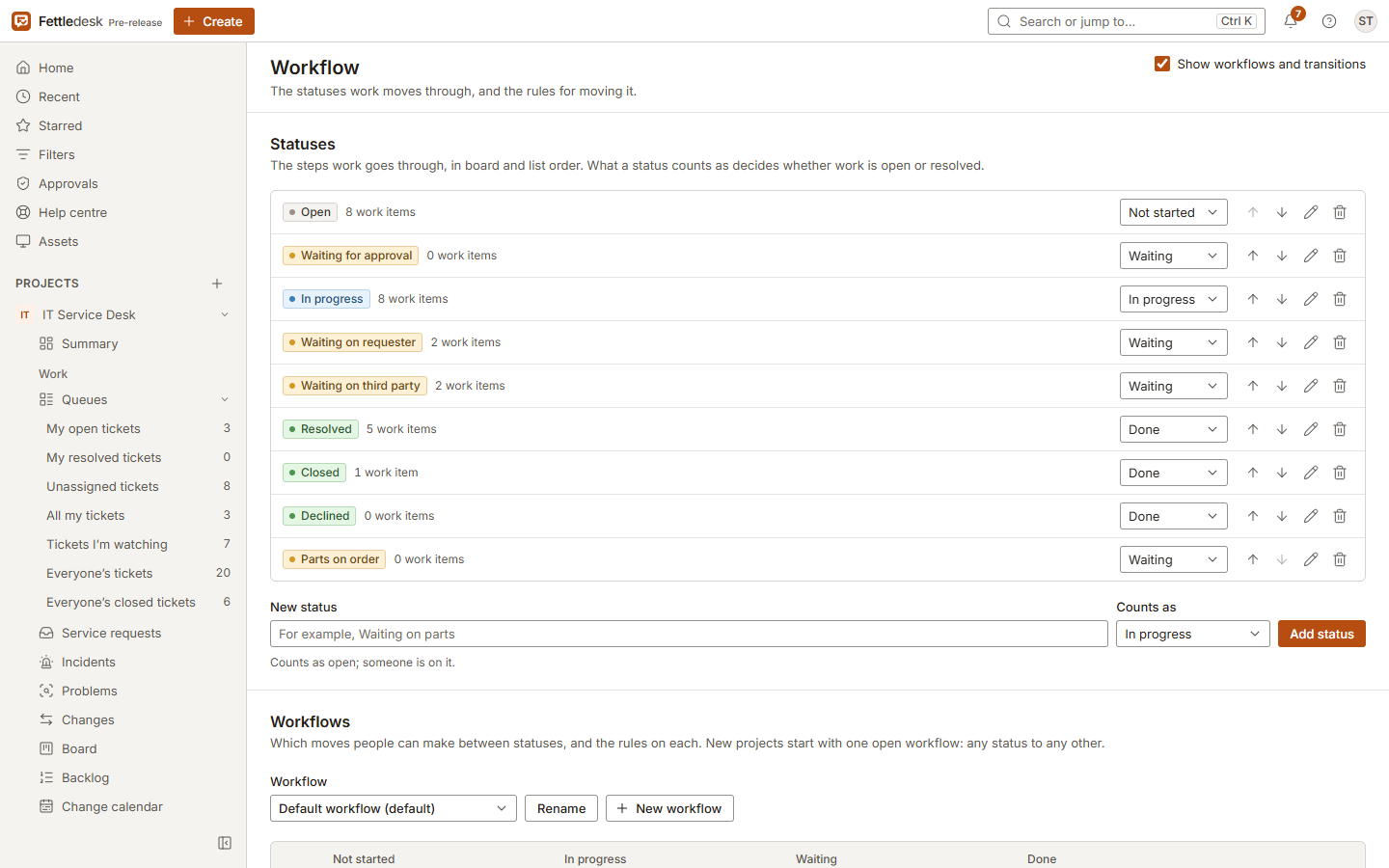
Workflows with rules, boards you can drive from the keyboard, sprints, and charts built from what actually happened.
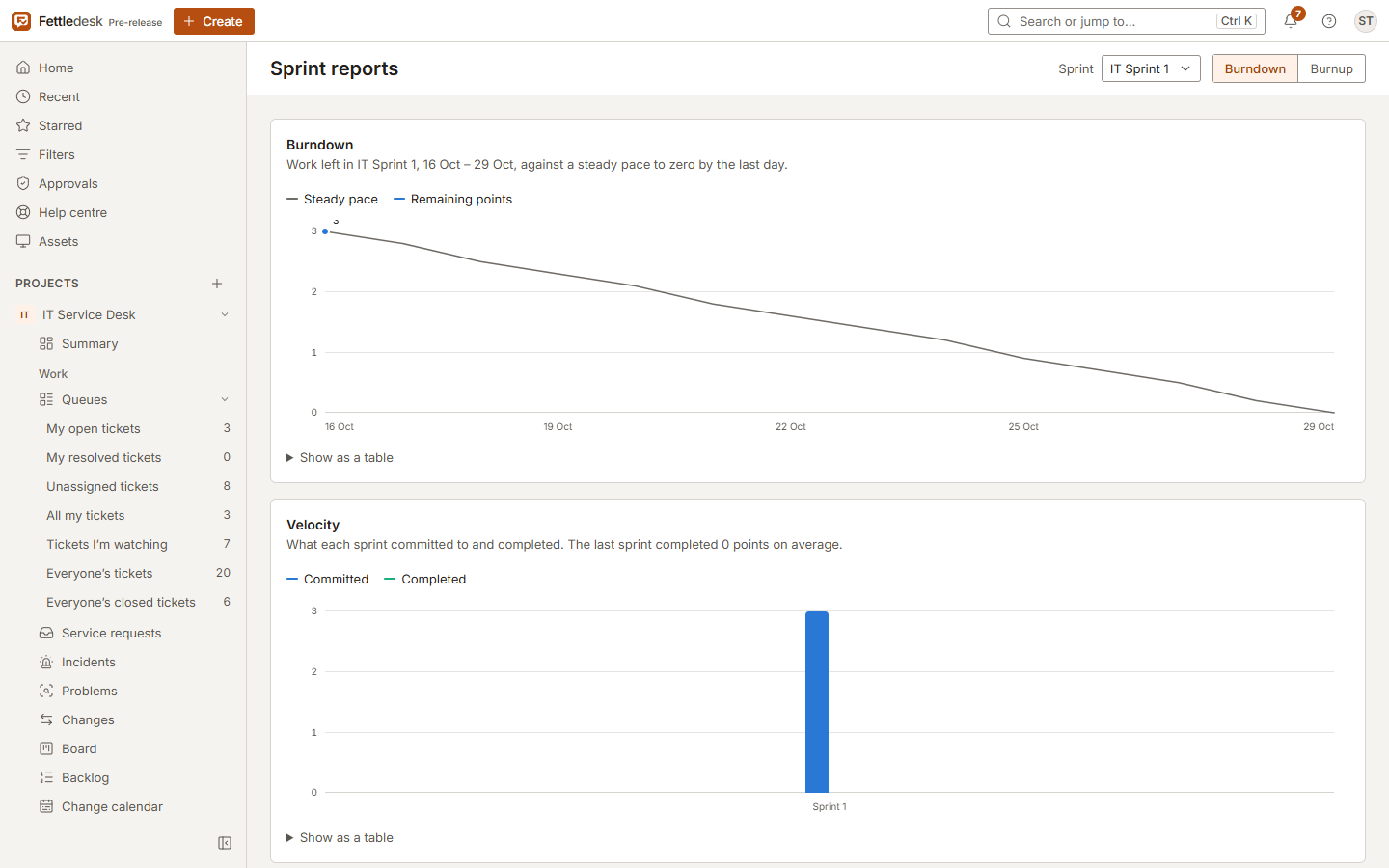
Boards and sprints
Move cards by mouse, touch or keyboard. Plan a sprint from a ranked backlog, and see burndown, burnup and velocity as it runs.
- Workflows per work type, with transitions and rules
- Swimlanes, quick filters and column limits
- A query language with autocomplete and saved filters
- Linked work, sub-tasks, time logging and votes
Asset management
Know what you own, who has it, and what depends on it.
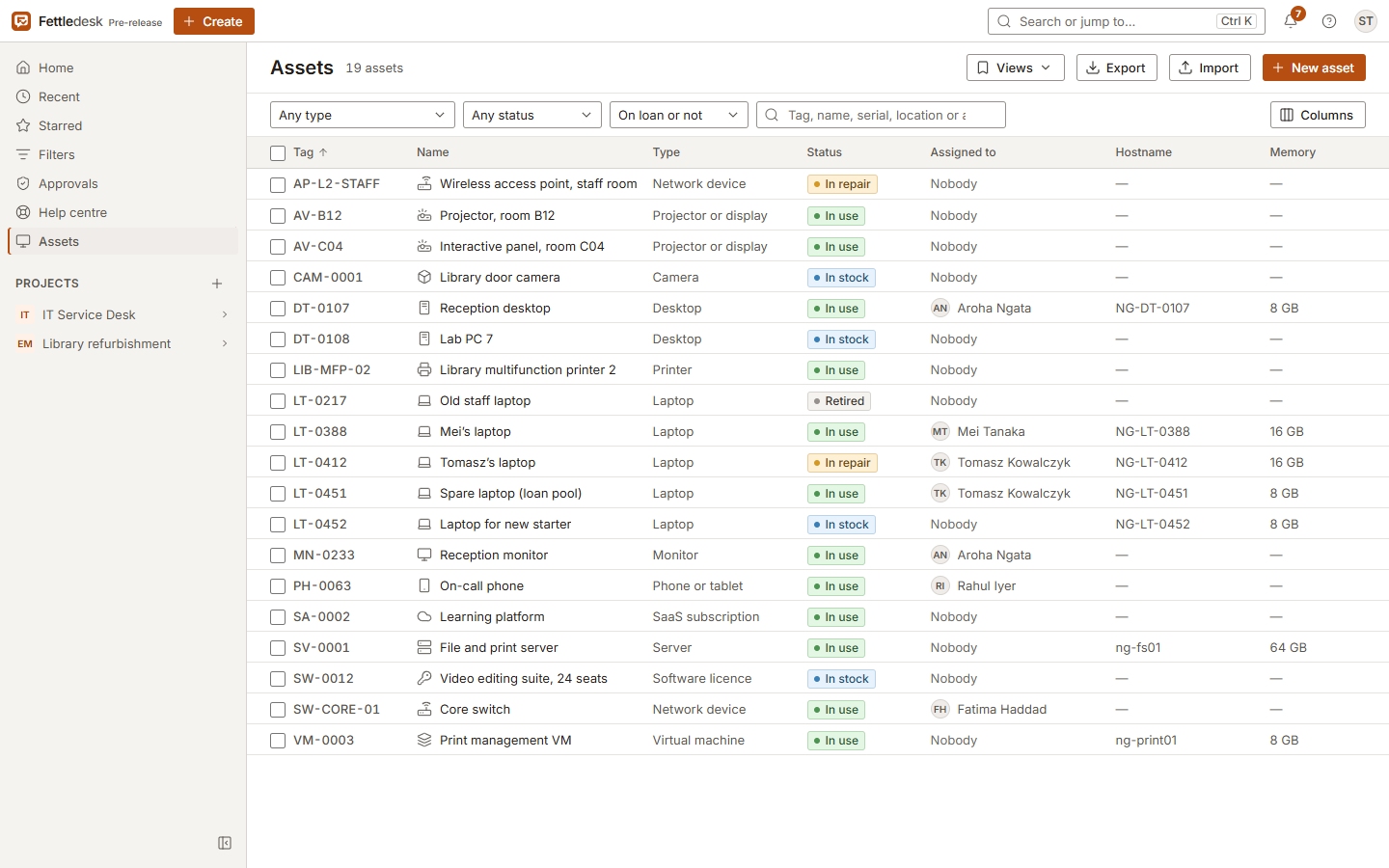
Laptops, servers, licences and subscriptions, each with the fields you choose, linked to the tickets about them.
A register that keeps itself current
Choose the columns, save views for the team, change many assets at once, and let inventory tools keep the details up to date.
- Asset types with their own attributes
- Check-out and check-in, with due dates and overdue alerts
- CSV import with a preview of every change before it's saved
- Updates from PowerShell, Intune, Ansible or osquery with an integration token
- Warranty and licence expiry alerts
Relationships and labels
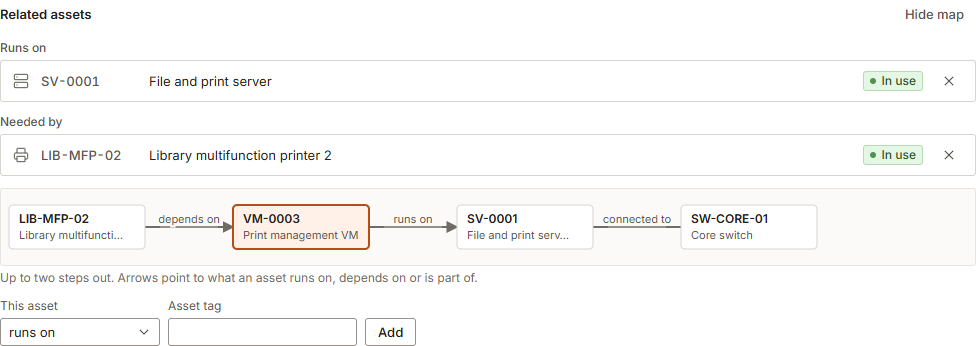
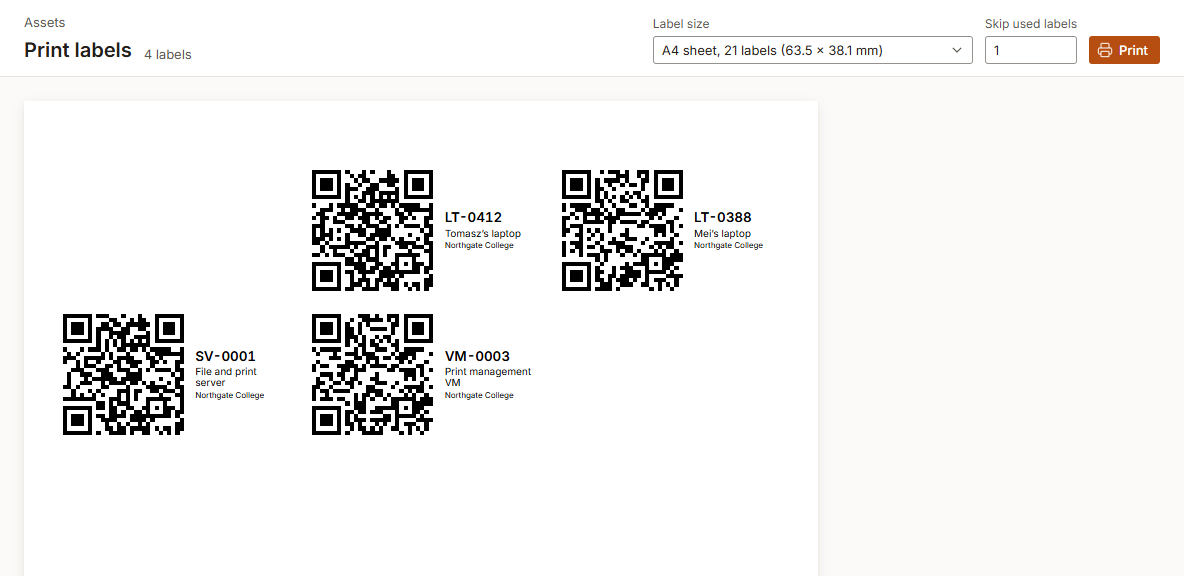
Record what runs on, depends on or belongs to what, and see it as a map, so you know what a fault will touch. Print QR labels that open the asset on any phone.
Screenshots
More of the app.
Light and dark themes follow your system, or each person's choice.
Under the hood
Built to be run by one person, and trusted by everyone else.
- Install
- One Docker Compose file: the app and PostgreSQL. Upgrades migrate your data on start.
- Footprint
- About 280 MB of memory for app and database together.
- Privacy
- No telemetry and no calls home. It works on networks with no internet access.
- Sign-in
- Passwords hashed with Argon2id, server-side sessions, and sign-in throttling.
- Accessibility
- Keyboard shortcuts for common work, and automated WCAG 2.1 AA checks on every screen tested.
- API
- Everything the app does goes through a documented REST API.
- Tested
- Hundreds of unit, integration and browser tests run on every change.
- Licence
- GNU AGPL v3.0: free to use, study, change and share.
Install
Running in a few minutes.
- Install Docker with Compose v2: Docker Desktop on Windows and macOS, or Docker Engine on Linux.
- Get Fettledesk and start it.
- Open it in a browser and follow the setup steps. Sample work items and people are added unless you untick Add sample work items and people.
For a production server, with HTTPS, email and backups, follow the install guide.
macOS and Linux
# Get Fettledesk
git clone https://github.com/stormhawkjordan/fettledesk.git
cd fettledesk

# Start it, using the published image
FETTLEDESK_IMAGE=ghcr.io/stormhawkjordan/fettledesk:0.5.2 \
  docker compose up -d

# Then open http://localhost:8080
Windows (Command Prompt or PowerShell)
# Get Fettledesk
git clone https://github.com/stormhawkjordan/fettledesk.git
cd fettledesk

# Start it. The first start builds Fettledesk, which takes a few minutes.
docker compose up -d

# Then open http://localhost:8080
Questions
The ones people ask first.
Is Fettledesk really free?
Yes. There's no paid tier today and no limit on people or tickets, and everything Fettledesk does now will always stay free. You pay only for the server you run it on.
Can I use it at work?
Yes, including for commercial work. The licence only asks something of you if you change Fettledesk and offer the changed version to others.
Where is my data?
On your server, and nowhere else. Fettledesk has no telemetry and never calls home. See the privacy policy.
What do I need to run it?
Any machine that runs Docker. Fettledesk and its database use about 280 MB of memory together, so a small server is plenty.
Status and roadmap
A pre-release, and honest about it.
Fettledesk is ready to evaluate and fine for small teams. These are the gaps you should know about today.
Coming in 1.0
- Single sign-on with OpenID Connect (Entra ID, Google Workspace, Okta) and SAML
- Two-factor sign-in with authenticator apps and recovery codes
- Jira import for projects, issues, comments and people
- A security hardening pass and a published security policy
Until then
- Keep Fettledesk on an internal network, or behind a reverse proxy with its own sign-in
- Back up with the documented commands; built-in backups come later
- Expect data formats may change before 1.0; upgrades carry your data forward
- English only for now
| 0.1 to 0.3 | Foundation, then the service desk: help centre, request types, SLAs, approvals, email | Done |
|---|---|---|
| 0.4 | Team planning: workflows, boards, backlog, sprints, query language, charts | Done |
| 0.5 | Asset management: types, loans, relationships, CSV, QR labels, ingestion, alerts | Done |
| 1.0 | Jira import, single sign-on, two-factor sign-in, hardening | In progress |
| 1.2 | Knowledge base, automation rules, webhooks | Later |